DN / FT / 01
Native library engine
Scan, identify, source, fingerprint, tag and organise in one pipeline. No Lidarr, no external *arr stack.
Self-hosted music engine MusicBrainz slskd Usenet
Search MusicBrainz, request an album or a single track, and a native engine drives your own slskd or Usenet: it scans, fingerprints, tags and files every result. No Lidarr, one container.
docker pull ghcr.io/habirabbu/droppedneedle:latest 01 The native engine
Ask for an album or a single track.
Identify the release against MusicBrainz.
Drive your own slskd or Usenet client over its local API.
Verify each file with AcoustID (fpcalc).
Write clean MusicBrainz tags with mutagen.
Organise and file it into your library.
Signal boundary
DroppedNeedle has no Soulseek protocol code, only an HTTP client for slskd. You run slskd and its shared folders; DroppedNeedle just drives it. It never joins or distributes on the peer-to-peer network itself.
02 Features
DN / FT / 01
Scan, identify, source, fingerprint, tag and organise in one pipeline. No Lidarr, no external *arr stack.
DN / FT / 02
Search the full catalogue. Request whole albums or single tracks.
DN / FT / 03
Drive your own slskd, pull from Usenet via SABnzbd and Newznab indexers, or run both. One priority setting picks which is tried first.
DN / FT / 04
Requests that fail or come back incomplete get re-searched in the background. A verified match imports itself, no babysitting.
DN / FT / 05
Set a minimum quality per format and reject the rest. A better copy replaces the one you own and drops the old files into a recycle bin, while storage caps and per-user quotas keep the disk in check.
DN / FT / 06
Jellyfin, Navidrome, Plex and local files, plus YouTube previews for what you haven’t downloaded yet.
DN / FT / 07
Any OpenSubsonic or Jellyfin client (Symfonium, Finamp, Feishin) can play your library directly.
DN / FT / 08
Queue, shuffle, seek, and a 10-band equaliser with presets. What you’re playing shows live to everyone signed in.
DN / FT / 09
ListenBrainz and Last.fm, per user. Now-playing on start, scrobble on finish.
DN / FT / 10
Recommendations from your history, similar artists, fresh releases and global charts, with Deezer and iTunes clips to preview before you request.
DN / FT / 11
Admin, trusted and standard roles. Log in with username, Jellyfin, Plex or any OIDC provider.
DN / FT / 12
One Docker image, configured entirely from the web UI. No config files to hand-edit.
03 Beyond the download
Follow an artist to watch for new releases, with a sidebar badge for anything you haven’t seen yet. Opt in and new drops download the moment they land.
Connect Ticketmaster and Skiddle, pick the cities you care about, and a daily sweep pulls upcoming shows for the artists you follow.
Mix Jellyfin, Navidrome, Plex, local and YouTube tracks in one list. Import from Spotify and it stays in sync. Share read-only or keep it to yourself.
A personal mix built from what you’ve been playing, rebuilt each week. Switch on auto-request and it fetches up to five albums you’re missing.
04 The interface
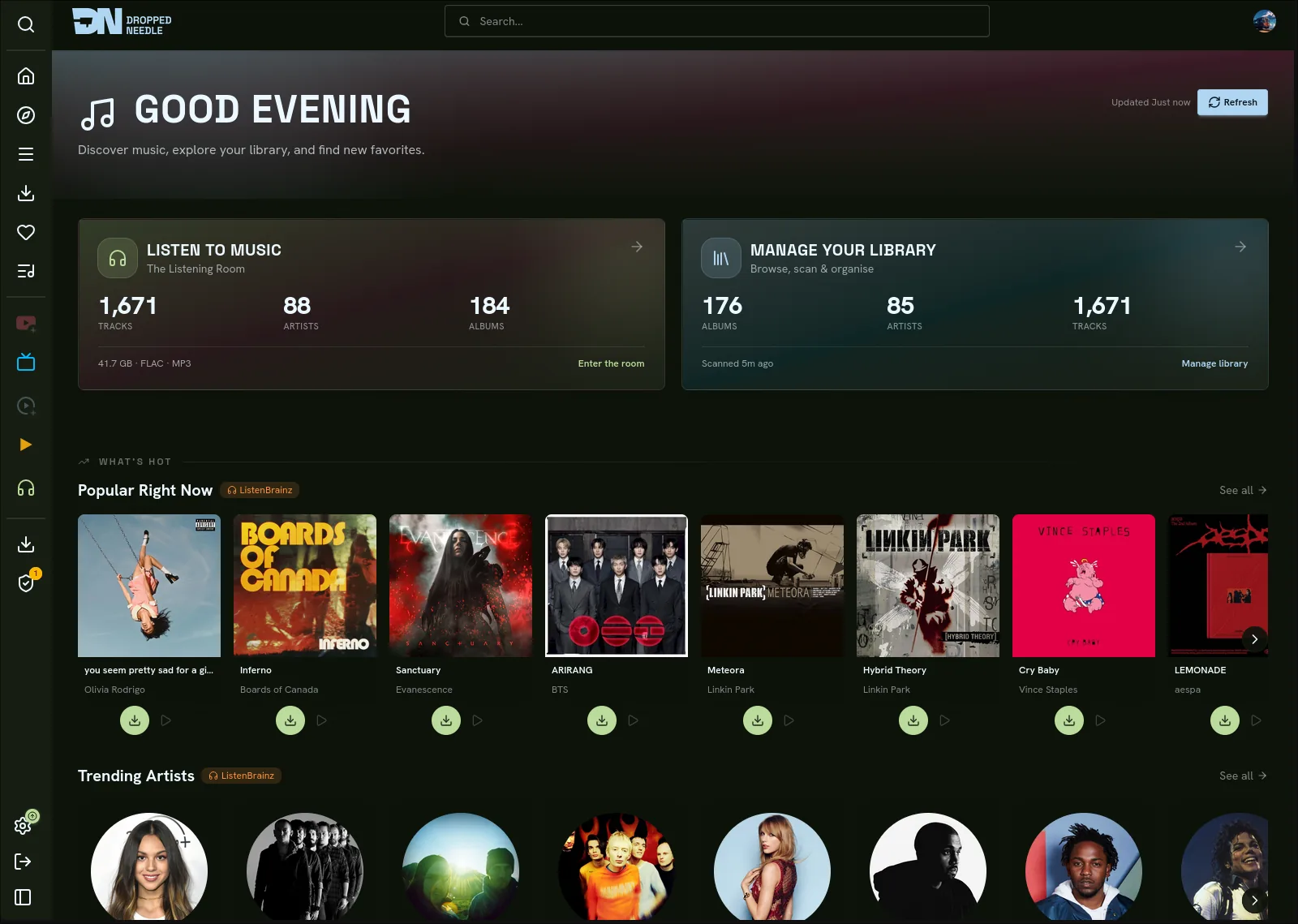
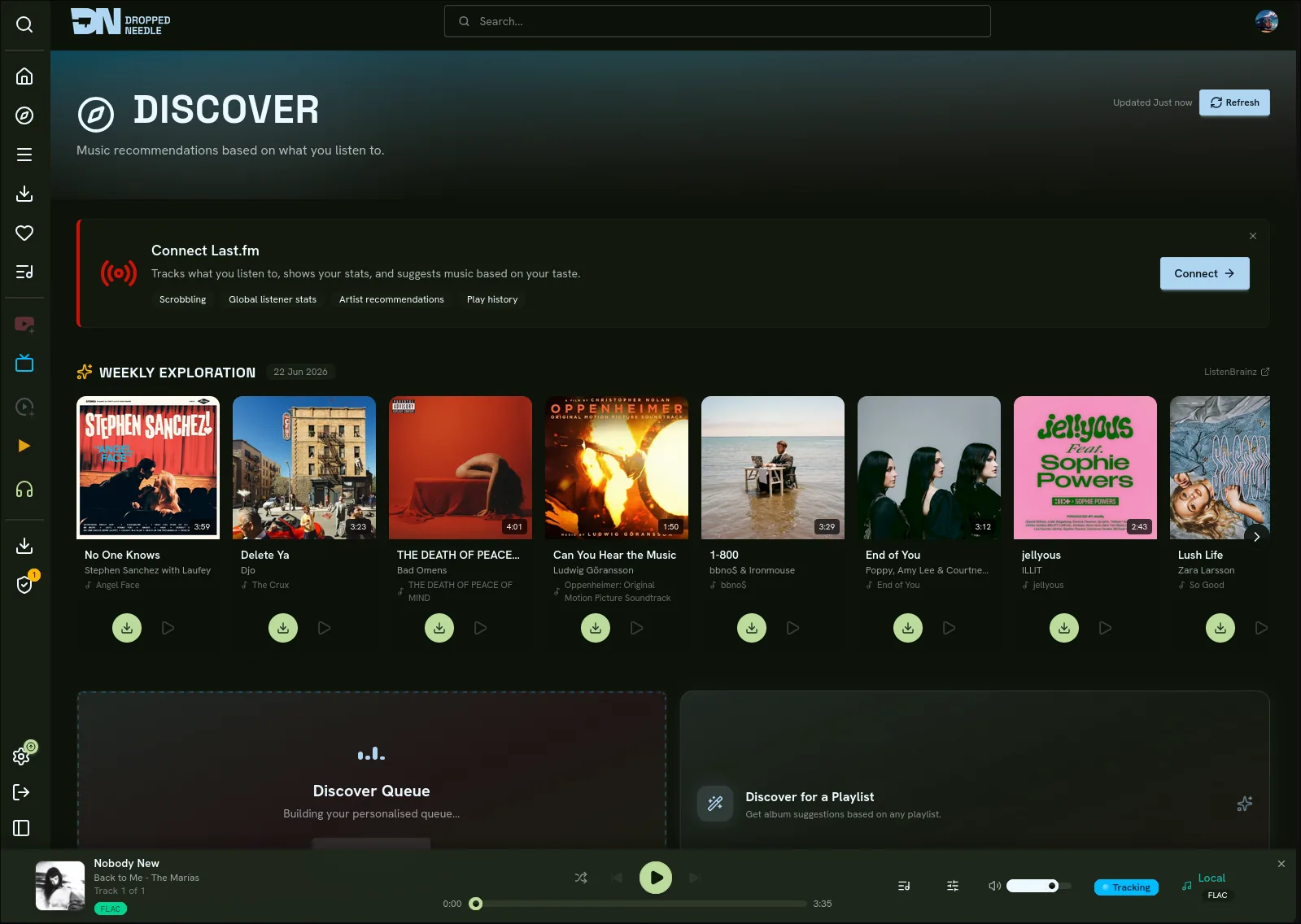
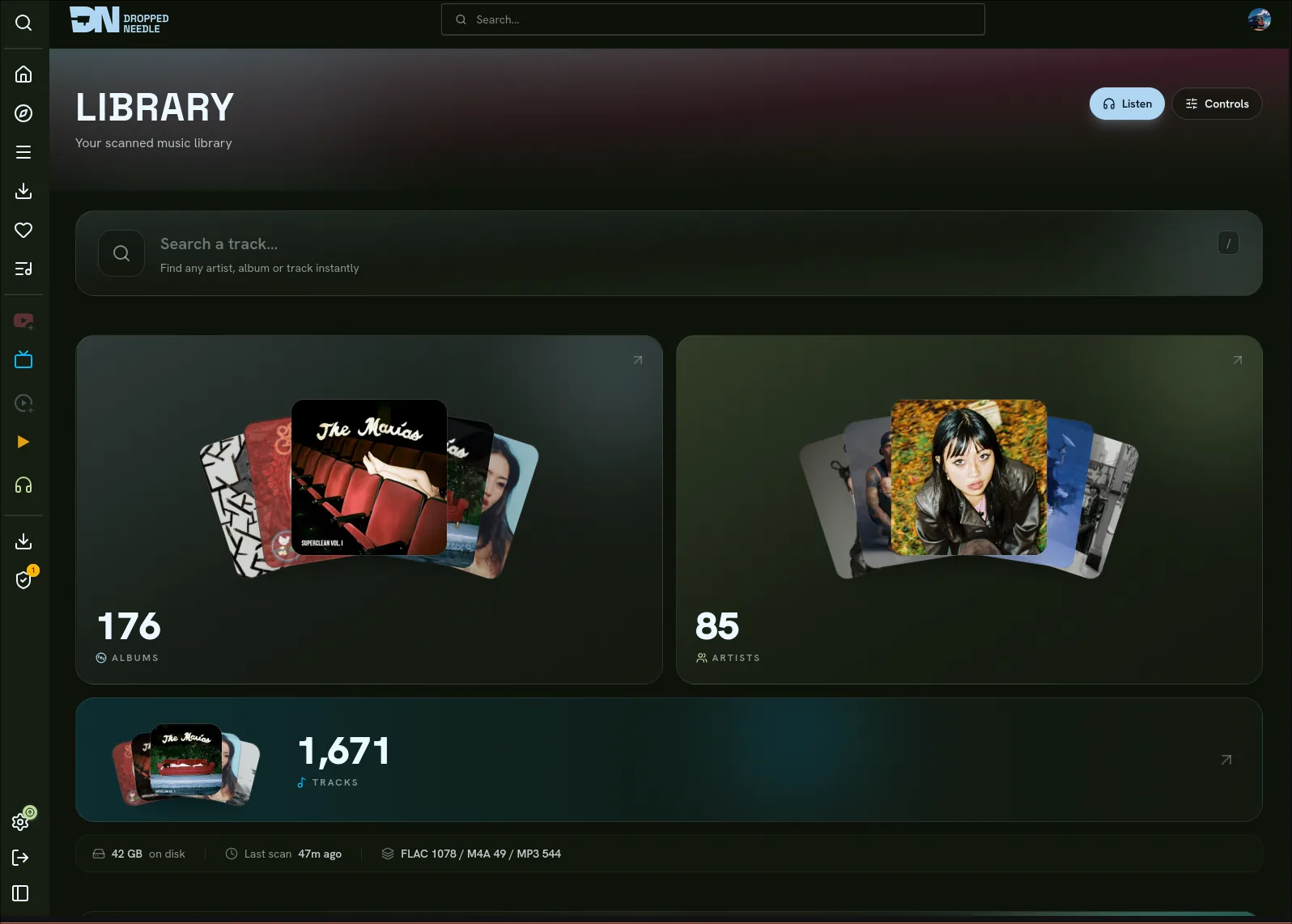
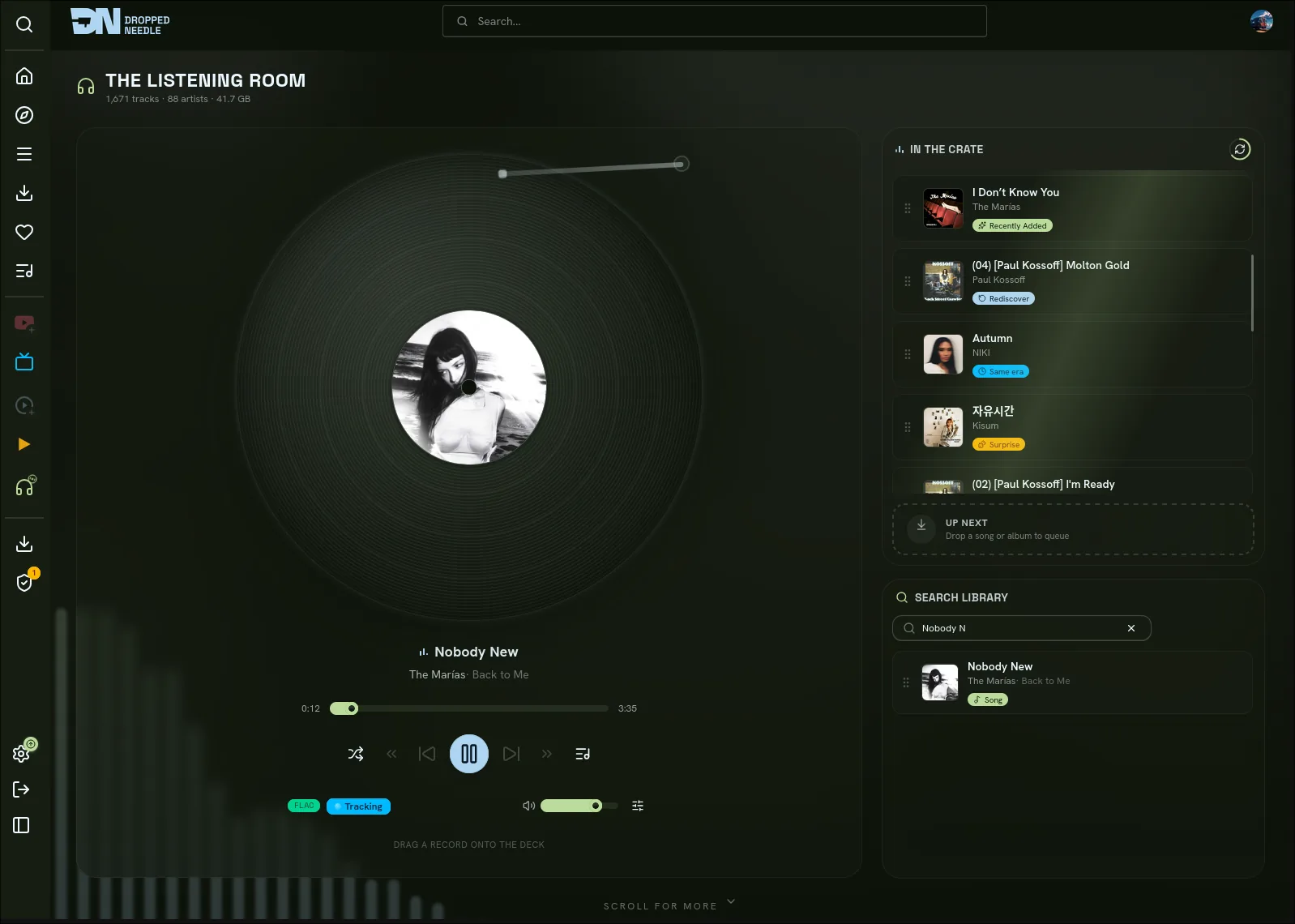
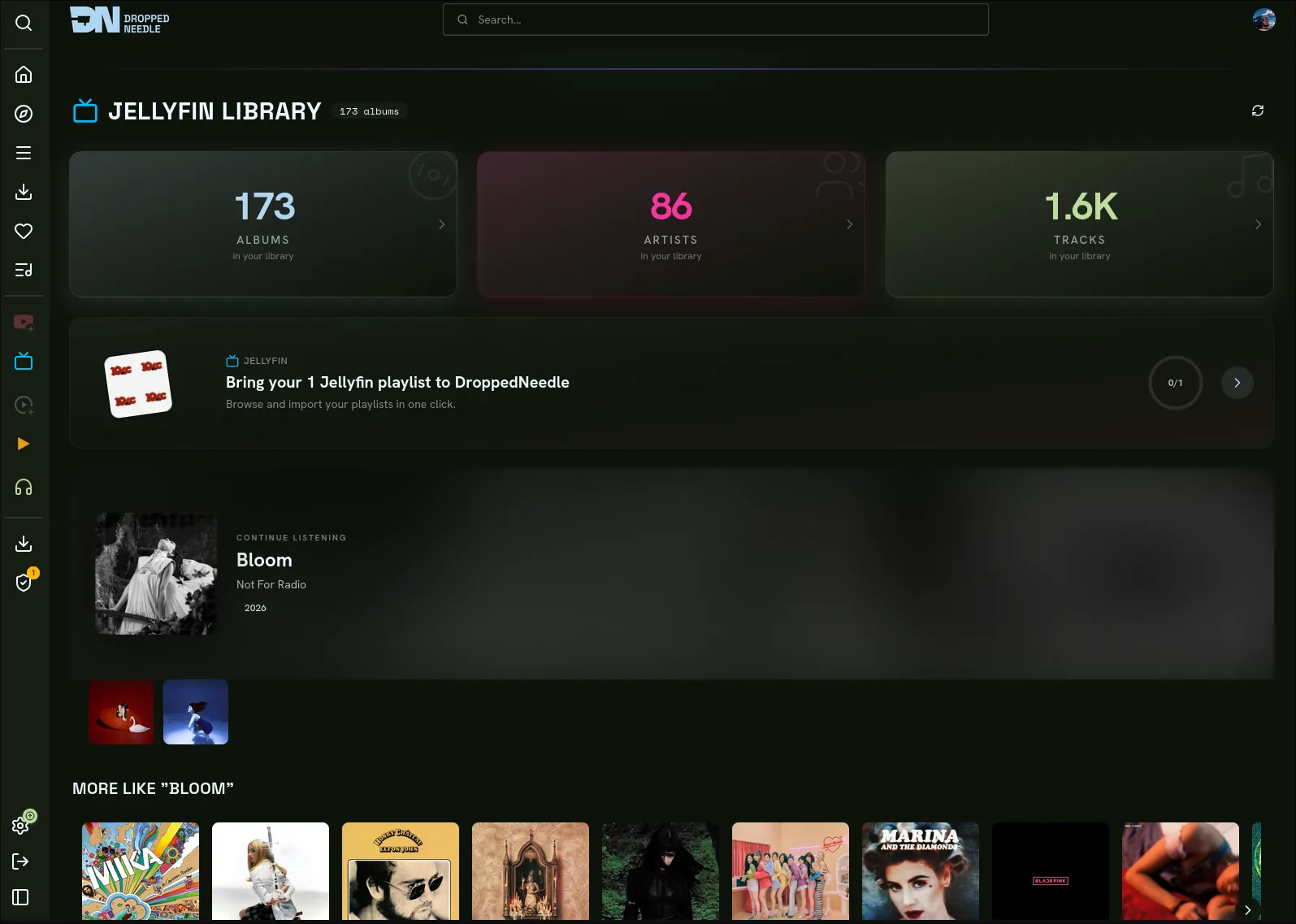
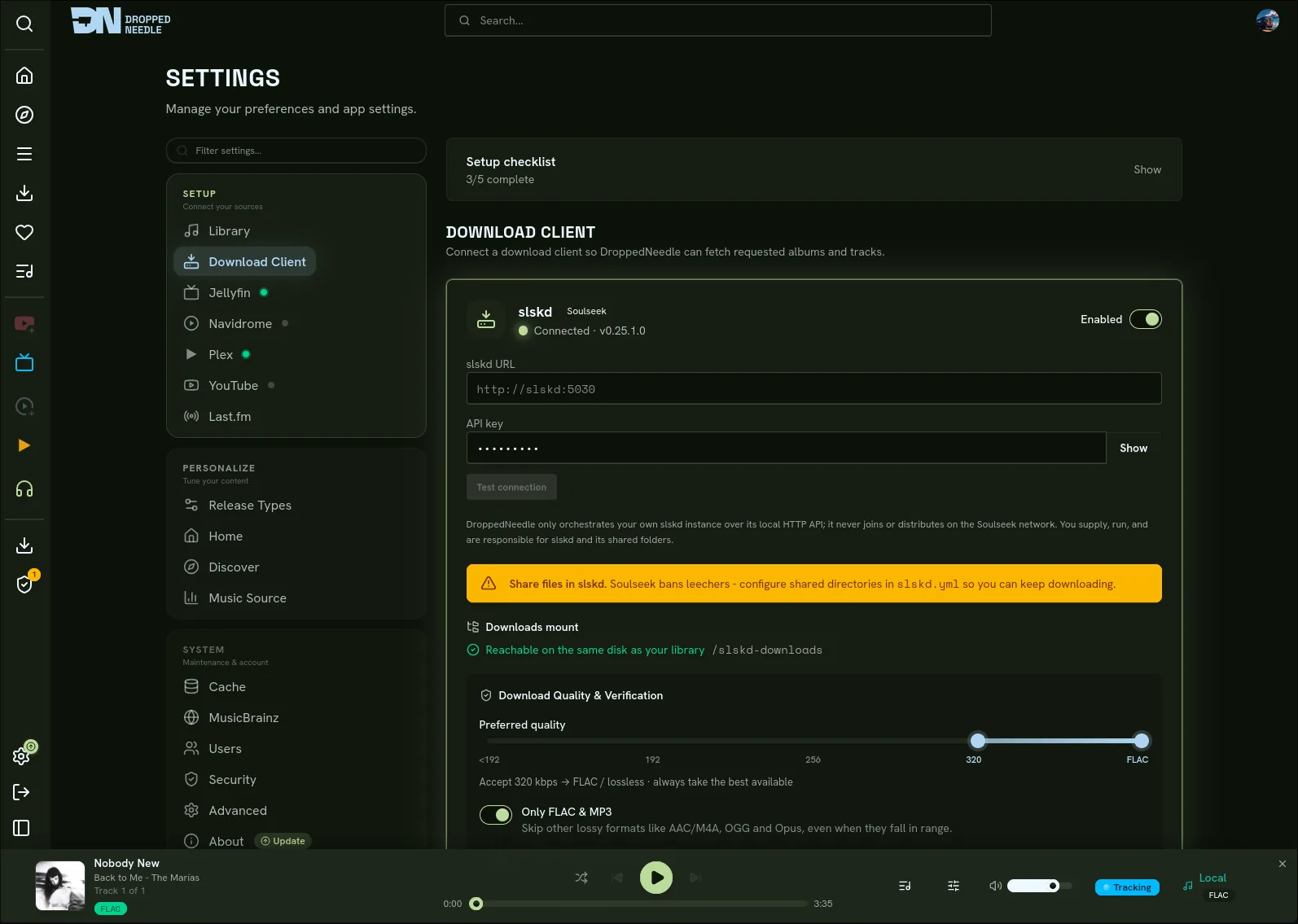
05 Connect
Download from
Stream from
Connect your apps
Any OpenSubsonic or Jellyfin client
Discover & import
Scrobble to
06 Quick start
services:
  droppedneedle:
    image: ghcr.io/habirabbu/droppedneedle:latest
    container_name: droppedneedle
    environment:
      - PUID=1000
      - PGID=1000
      - PORT=8688
      - TZ=Etc/UTC
      - SLSKD_DOWNLOADS_PATH=/slskd-downloads
    ports:
      - "8688:8688"
    volumes:
      - ./config:/app/config
      - ./cache:/app/cache
      - /path/to/music:/music:rw
      - /path/to/slskd/downloads:/slskd-downloads:rw
    restart: unless-stopped
DN / Compose / 001
Run slskd 0.25.0+ with a shared folder and an API key, and bind-mount its downloads dir on the same filesystem as your library.
Drop the compose into a folder and run docker compose up -d.
Open http://localhost:8688, create the admin account, add your library path and slskd URL + key, then run a scan.
Need slskd set up first? Read the slskd guide
No. It talks to your own running slskd over slskd’s local HTTP API and imports the results. It has no Soulseek protocol code itself. You run, and are responsible for, slskd and its shared folders.
No. The native engine replaces it entirely: scanning, identification, downloading, fingerprinting, tagging and organising are all built in.
Yes. DroppedNeedle downloads from Usenet through SABnzbd with Newznab indexers, from your own slskd, or from both at once. A source-priority setting decides which is tried first, and every download runs through the same scoring, verification and import.
Docker, a music folder, and at least one download client you run: slskd (0.25.0 or newer) with a shared folder and an API key, or SABnzbd with Newznab indexers. Everything else is configured from the web UI.
Imports are atomic moves. A cross-filesystem mount can’t be renamed in place, so bind-mount slskd’s downloads directory read-write on the same filesystem as your music.
Yes. Set a minimum quality per format and anything below it is rejected. When a better copy of an album you own turns up, the engine swaps it in and keeps the originals in a recycle bin. A global storage cap and per-user quotas stop the library filling the disk.
Follow an artist and DroppedNeedle watches for new releases, with the option to auto-download them as they land. Connect Ticketmaster and Skiddle, pick your cities, and it lists upcoming concerts for the artists you follow.
Stream from Jellyfin, Navidrome, Plex or local files, with YouTube previews for what you haven’t downloaded. Scrobble to ListenBrainz and Last.fm, per user.
Yes. DroppedNeedle speaks the OpenSubsonic and Jellyfin APIs, so clients like Symfonium, Finamp or Feishin can play your library directly. Turn it on in Settings > Connect Apps and create a revocable app-password.
Yes. Admin, trusted and standard roles, with login via username, Jellyfin, Plex or any OIDC provider.
Yes. Open source under AGPL-3.0, with no paywall, lock-in or telemetry.